
Quick Start Guide - Member
How to sign up, join a club and take part in your first event
1. Create Your Account
- Download the Viratrip app from the App Store or Google Play
- Open the app and tap Sign up for free
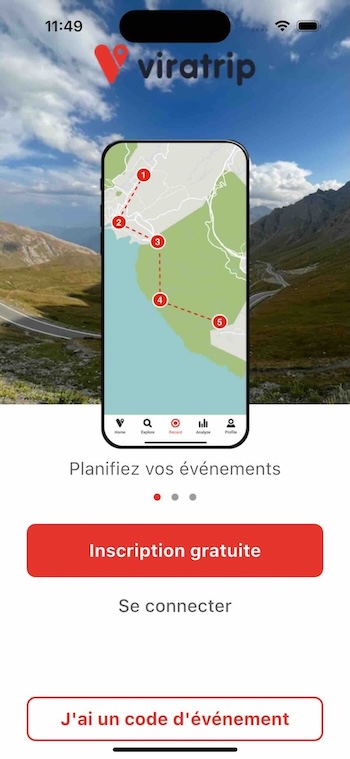
- Choose your sign-up method:
- Email and password
- Apple
If you sign up by email, check your inbox and click the verification link, then return to the app and tap Continue.

2. Complete Your Profile
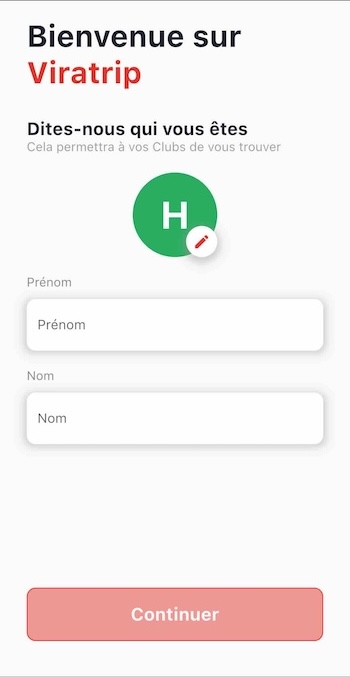
After signing in, the app asks you to complete your profile:
- Enter your first name and last name
- Add a profile photo (recommended)
- Tap Continue
Tip :
A recognisable photo helps other members identify you during events.
3. Join a Club
Searching for a Club
- On the home screen, tap Clubs page or use the “Clubs” menu then Search for a Club
- Tap search by name
- Type the name of the club you’re looking for (at least the first 3 characters)
- Public and Protected clubs appear in results
- Tap the club you want to join, then tap Request to join
Warning :
**Private** clubs do not appear in search results. You cannot find them in the app: you must wait for an invitation from a club administrator to join.
Joining a Public Club
Tap Join — you’re immediately a member.
Requesting to Join a Protected Club
Tap Request to join — the club administrator receives your request and must approve it. You’ll receive a notification once accepted.
Accepting an Invitation
If an administrator has invited you directly, a notification appears in the app. Tap the notification to accept or decline the invitation.
4. Explore Club Content
Once a member, you have access to:
- Club routes — browse routes, their stats and track on the map
- Upcoming events — date, time, meeting point and attached routes
- Other club members
5. Participating in an Event
Signing Up for an Event
- In the Events tab, tap the desired event
- Tap I participate to confirm your attendance
On the Day of the Event
- Open the Viratrip app
- The ongoing event appears automatically on the home screen
- Select the event to see the routes
- Tap Let’s go to launch GPS on the event route
Tip :
Enable **Android Auto** or **CarPlay** mode to display navigation on your vehicle's screen. See the [Android Auto and CarPlay guide](/guides/android-auto-carplay/).
Reporting a Hazard
During the event, if you spot a hazard on the road (obstacle, slippery surface, accident…):
- Tap the Report a hazard button
- The hazard is immediately visible to all participants
Next Steps
- Check the Android Auto and CarPlay Guide to use Viratrip on your vehicle screen
- Talk to your club organiser to learn about upcoming events